Come back to the words you wanted to remember
Ask AI with context while reading. Return to your saved words afterwards. Version 2.4.0 brings Today’s 5 quotes, Connections and Star map together in Review.
View on the App StoreSave something worth returning to
Start with ebook selections, paper-book OCR, copied WeRead highlights or manually written notes. The new onboarding includes sample notes to introduce the review flow.
Sync WeRead highlights with your official WeRead key (app 2.6.1 or later), or copy and paste them one book at a time; either way, a note cannot jump back to the WeRead passage. Paper-book OCR runs locally; optional AI proofreading sends the image and text.
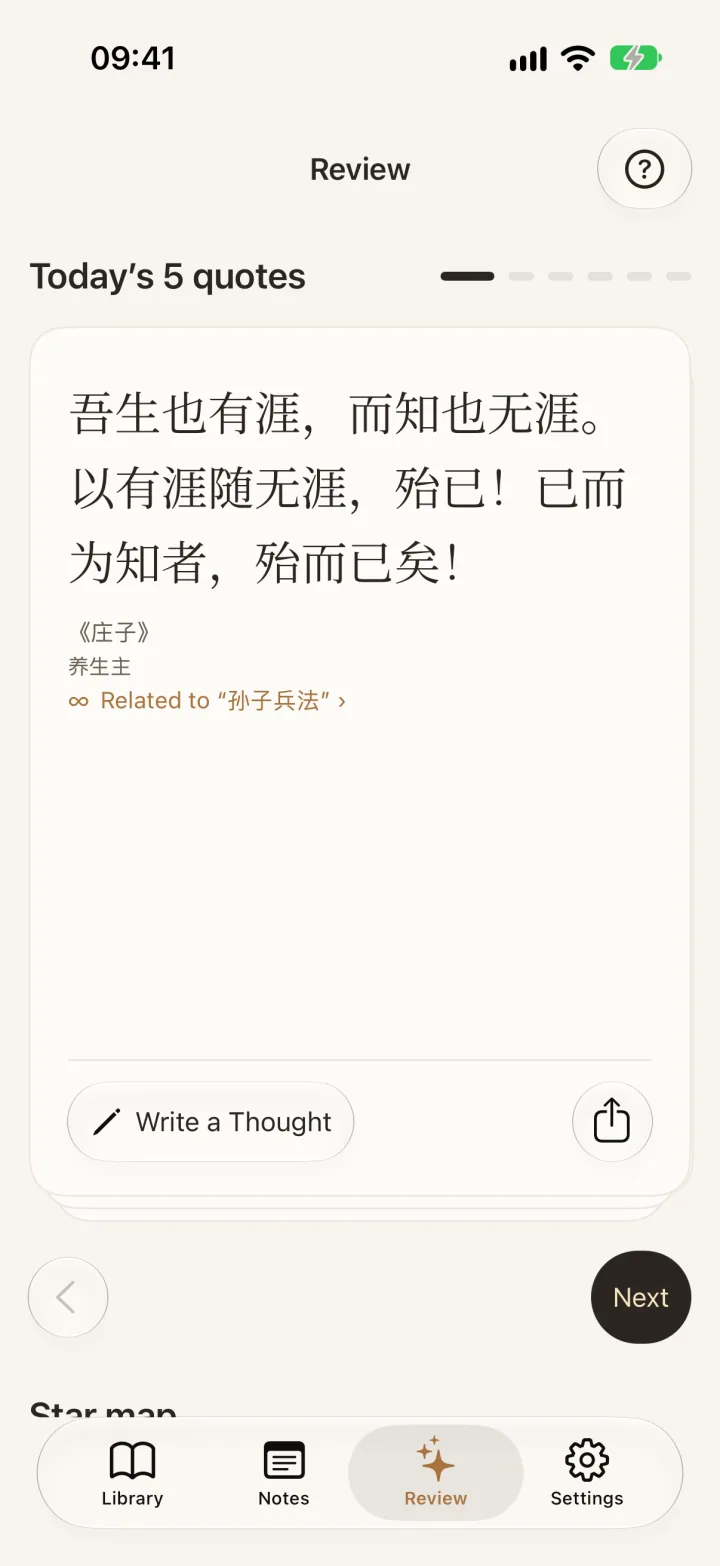
Today’s 5 quotes: revisit your own words
These excerpts come from your saved notes. Read the passage again and remember why you highlighted it. A small collection may not provide five new excerpts every day.
After finishing, you can see the completion state and read the set again. This is not a spaced-repetition algorithm.
Widgets are iOS only. Today’s 5 quotes come from your saved passages. A small collection may repeat; five new quotes every day are not guaranteed. This is not spaced repetition.
Connections: a suggestion, then your decision
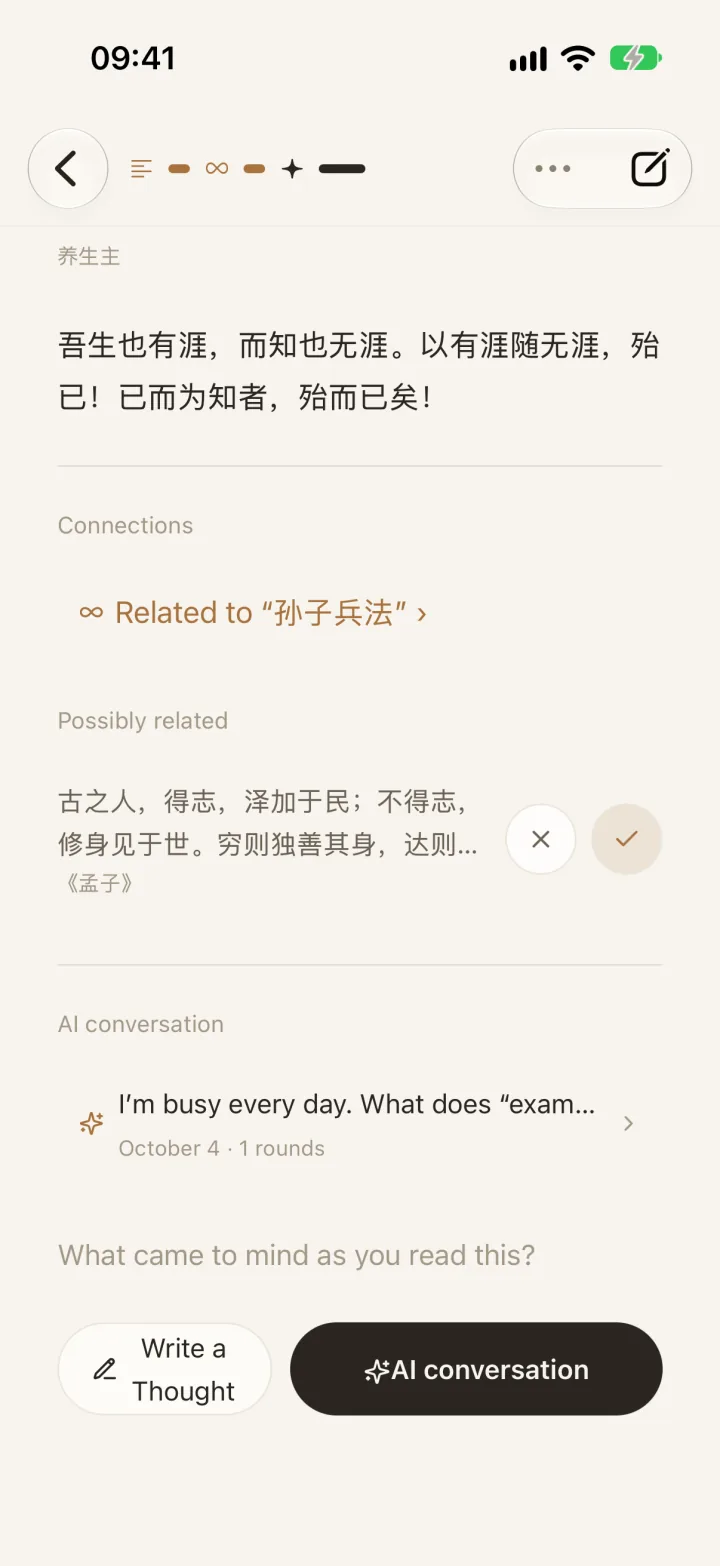
Open Possibly related to explore candidates based on local text similarity. Choose Related, Unrelated or Later. Accepted links move to Confirmed; Undo reverses your most recent decision.
Requires at least two books and iOS 17+. Generate connections manually, free of AI credits. Results can be empty or tenuous; similar wording does not mean agreement. Matching stays on-device without uploading notes.
Star map: see links between your notes
Explore books, excerpts and confirmed connections. This is not an automatically built knowledge graph or proof of causation. The view develops as your collection grows.
Read the full note in context
Note details show the full text by default, with access to the passage, connections and conversations. Return to your excerpt and annotation before deciding what a link means.
Continue asking AI about a passage. Answers are for reference and require a network connection.
AI Q&A uses credits. On first use, consent is required to send the passage and question to your chosen service. AI answers are for reference only.
Questions about Review
Are these quotes from a daily quotation feed?
No. Today’s 5 quotes draws from excerpts you have saved, not a public quote library.
Does Confirmed mean AI has proven a connection?
No. Candidates are suggestions. Confirmed means you accepted the link.
Does everything work offline?
Notes and connection candidates are processed locally. AI questions and optional AI image proofreading require a network connection.
Why is my Star map sparse?
It reflects your books, excerpts and confirmed connections. Importing two books does not guarantee a connection.
Related guides
- Looking for a Readwise alternative? EasyReadAI vs Readwise Reader
- Photograph a paper book into reading notes (OCR, then check the photo)
- How to Take Notes While Reading (Without Breaking Flow)
- iPhone Reading Highlights Widget: Y2K, Windows 98, and Home Screen Review
- Connect Reading Notes Across Books: Review Related Highlights on Your Terms
- How to Review Book Highlights with Today’s 5 Quotes
- Reading Notes Star Map: Connections, Context, and Empty Views
- How to Remember What You Read: Recall, Check, and Revisit
- AI Guided Reading: How to Finish Difficult Books Without Giving Up